Checking the Drives
by Lewis
Checking the Drives
Topics -
- Issues
- Awareness
- USB Deview
- DiskDrill
ISSUES
The main issue with people using FAT32 drive types is that USN journal (The main way to find deleted files and also the way Echo’s executed, deleted and renamed section of the scan works off) is not registered. This means that any file changes on a FAT32 USB or drive will not be traceable through USN and therefore people can delete files without Echo showing this.
Awareness
Being aware when someone uses a FAT32.
1. Firstly go to File Explorer.
2. Find “This PC”

3. Go to “VIEW”
4. Make sure the “Hidden Items” box is Unchecked
5. Then change the View to “Content” Like shown

6. Then look under Devices and Drivers and check for any FAT32 Drives
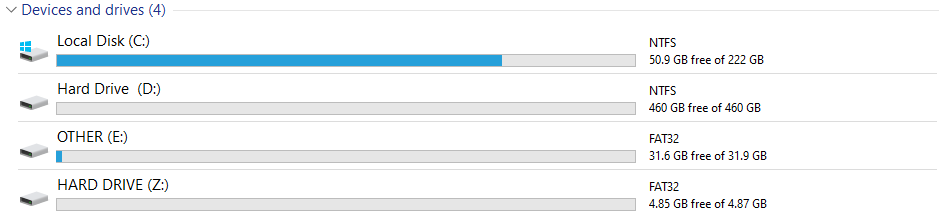
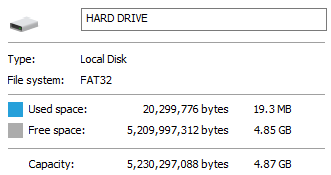
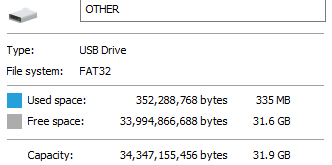
For details on if it’s a USB or not, go to the taskbar on the right and right-click the drive you wanna check. Go to properties and check what is under “Type” - It will be either Local Disk or USB Drive as shown below.
USB Deview
USB Deview is an application that allows you to see the USB port history on the PC of the user you are screen sharing. This allows you to see anyone who might be trying to hide the cheat file they were using by simply unplugging the USB.
Download link here: https://www.nirsoft.net/utils/usbdeview.zip
Here are the steps you should take to find any USBs they may have unplugged during the time they’ve been on the server.
1. Open USB DEVIEW
2. Scroll to the right as using the bar at the bottom until you see the “Disconnect time” Collum - Like Shown
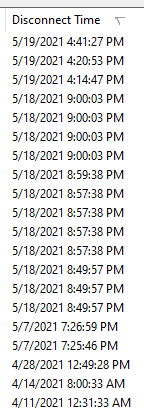
3. Then look for anything with the device type “Mass Storage”

4. If the device is white it's currently disconnected from their PC, green means it's connected.
5. If the time displayed overlaps with the time they’ve been on the server you can ask them to plug it back in and check the files that way OR if they refuse you can just ban them for modifying files.
Note: Some cheats may clear USB port history or the user may clear it manually so look out for anyone opening anything that could do that. (Like USB Deview)
DiskDrill
DiskDrill is a tool that allows you to recover files from any drive type (Including FAT32 Which is great.) There are alternatives to this tool if you don’t get on with this one which i'll leave at the bottom for you to check out.
Download link here: https://www.cleverfiles.com/download.html
Steps to find deleted files. - This will be written specifically for USBs however it also works for FAT32 Disk Partitions.
1. Open DiskDrill
2. Find the drive you want to check
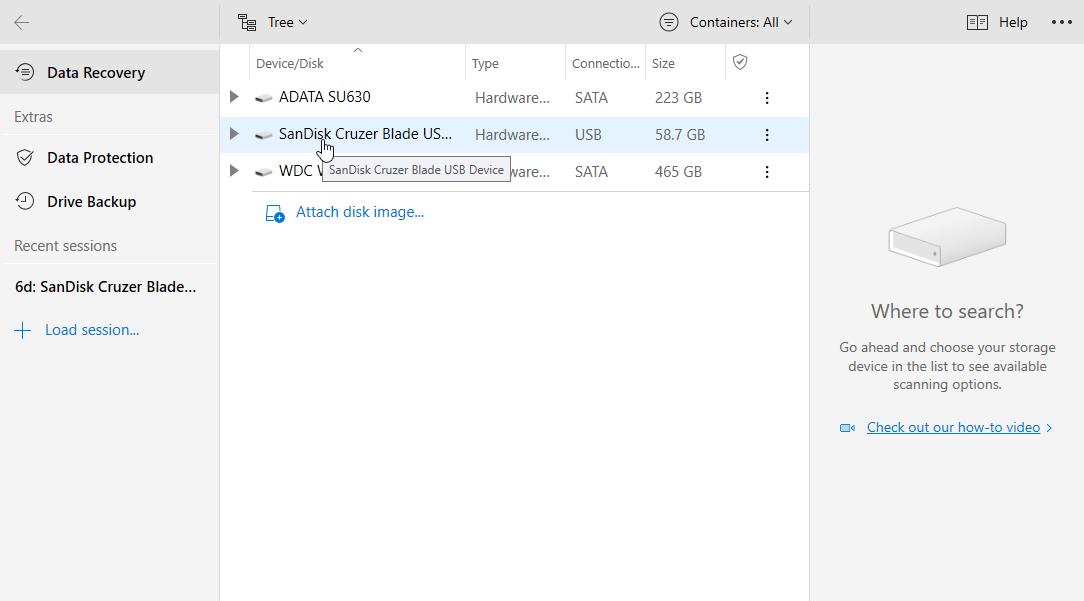
3. Click Recover Lost Data
4. As soon as any amount of files is shown click “And *Amount* other files”
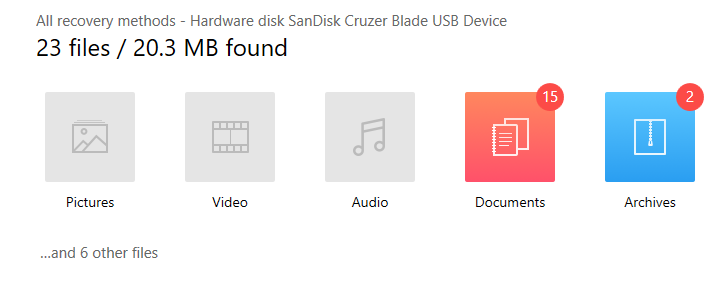
5. It will bring up a found files section and you just need to click the drop-downs until it brings up some executable files like this:
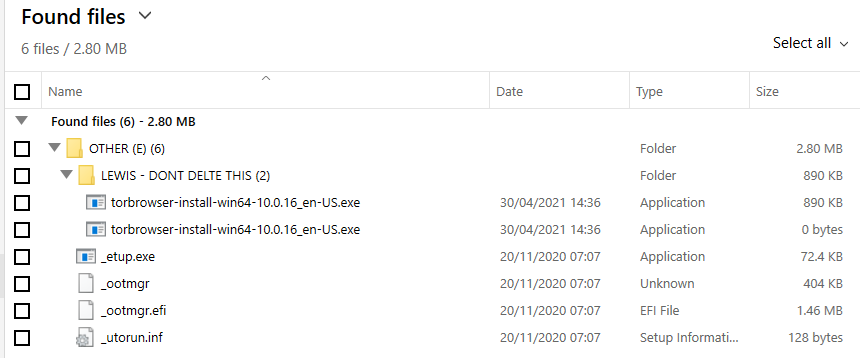
6. You can either recover the files (Likely will not work after they self-destructed and deleted but you can try this OR you can simply check the date they were deleted and ban off that for modified files. - This all depends on your rules and if you want to spend 30 minutes waiting for the file recovery.
7. Alternatively if you think they may be using a different type of cheat you can go to “All Files”:
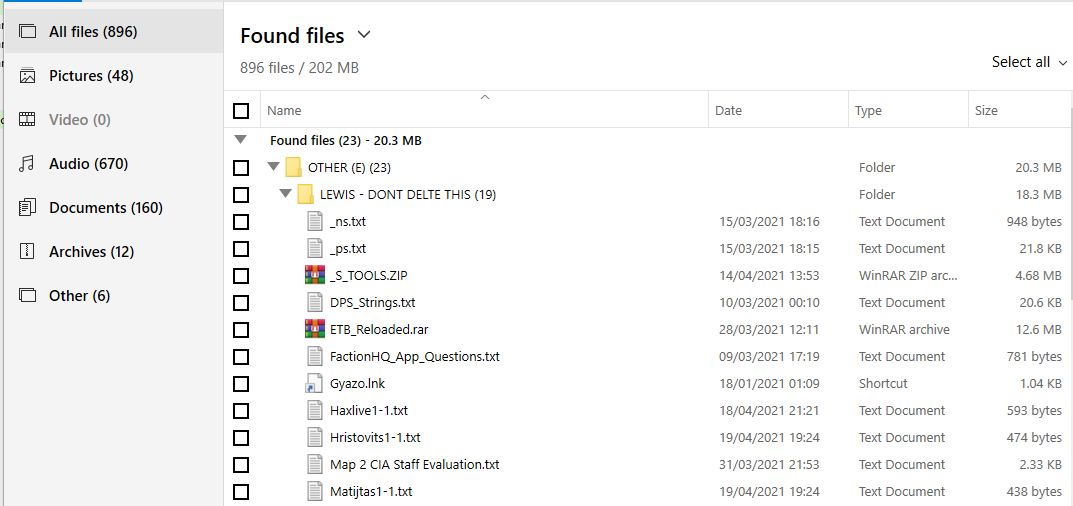
And go through the files in the same way.
Note: Sometimes file deletion times are inaccurate or they may have changed their time to avoid a ban.
Alternative tools that do the same job:
Recuva (Provided by the same company as CCleaner) - https://www.ccleaner.com/recuva
EaseUS (Also has a Mac Version) - https://down.easeus.com/product/drw_free?ref=/datarecoverywizard/free-data-recovery-software.htm