How to Use Echo
by Reassembly
How to Use Echo
This guide is how to use Echo, the step by step guide on how to catch suspected ghost cheaters on your server.
- You will want to find a way to force the player into joining a screensharing VC. The most common method is through "freezing" the player, which is when you remove their ability to move / play until a staff member unfreezes them. There are many plugins that can do this, For example: https://bit.ly/3dZvjIv. If at any point the user logs out, you need to ban them immediately, as if the user closes their game it removes all client traces. You want to get this user into either a discord call or a teamspeak call (most common) to do the screenshare.
- Next, you need to get them to install a remote desktop software such as anydesk (https://anydesk.com/). Get the user to give you the 9 digits in "This Desk", then paste it in and click "Connect".
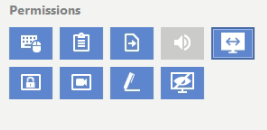
Have the user click the speaker icon so that you can't hear yourself.
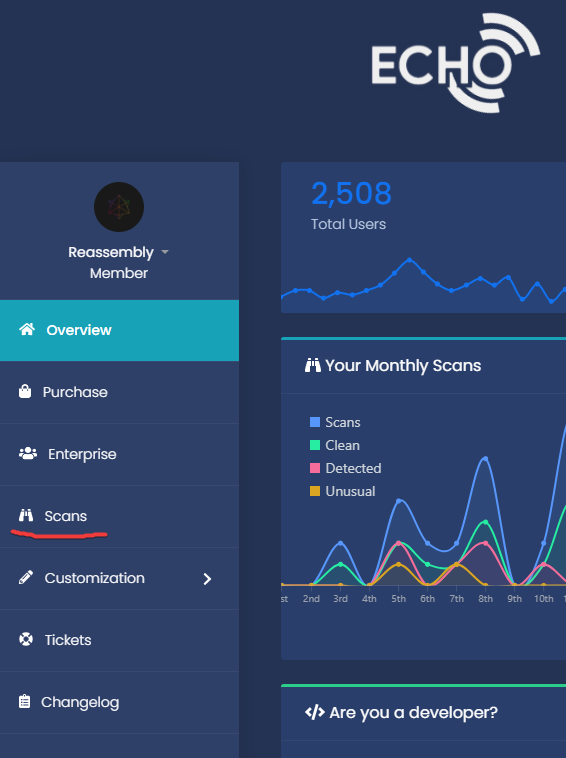
- Now, go to your echo dashboard, and click "scans"
- Then, on the right hand side you should see the following:
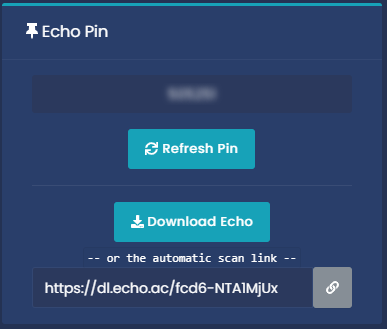
Copy the link given, by clicking on the gray chain icon. Then send that link to the person you are screensharing. Tell them to download and execute the file when downloaded.
- When the GUI that looks like this pops up, My GUI looks a little different because I have a custom design, more on that later.
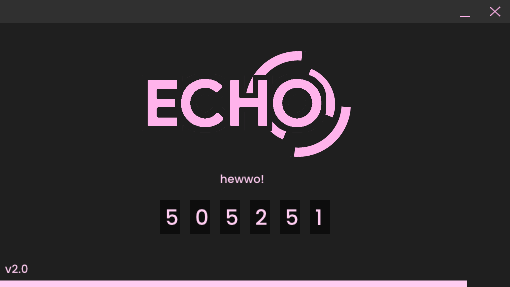
Echo should begin scanning automatically. It will come up with a progress bar both on your dashboard and on the GUI while it scans. If echo gets stuck on 70% for a while, that is okay, that is when echo is doing a lot of work to catch cheaters. When the scan is finished, it should automatically refresh your scans page, if it doesn't just refresh it yourself

That is the scanning part complete, now comes the analysis.
How to analyse your results:
- To start, click on the arrow by "Recording software". And see if there is
anything there
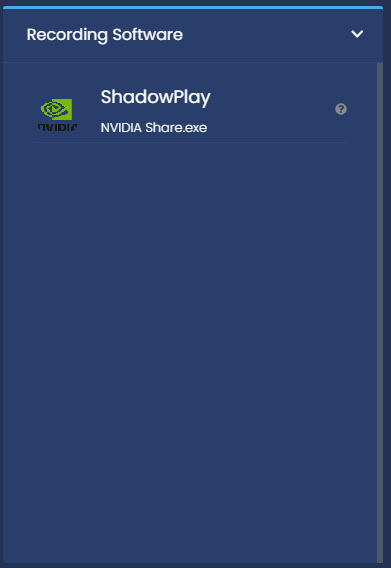
If something does show in that list, there is a recording software open and is most likely recording the screenshare, you can check this for yourself and if they are recording it, you can either ask them to stop recording, or ban them, depending on what your server does.
- Now, look at the "key indicators" section

Ignore all the results that say "Custom String" at the beginning, we will get onto that soon. For now look at the bottom 2.
"Traces found for Generic Cheat out of instance". This means a client was executed on the computer since last restart, but does not necessarily mean it is in their current instance of minecraft (they restarted their game after using a client). This normally does mean they are cheating, but it isn't 100% proof, If it said "in instance", that would mean it was in that current instance, so they have a hacked client injected in that minecraft instance.
- Now, you want to look at the 'Explorer Pcaclient' section

Pcaclient shows what files have been executed since last explorer restart. As you can see above, the user in question executed a file at the path "E:\External Clients\Vape Lite.exe". Obviously in a real screenshare it won't tend to be this easy. But it works for demonstration. If this section is quite empty, refer to the "Start Times" section
- Now for the file logs. The file logs show a lot of information, such as files being executed, deleted, renamed, replaced etc.
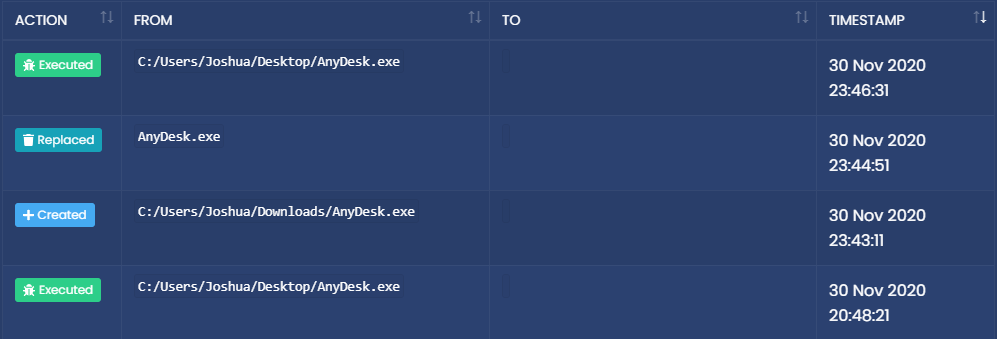
Let's take a look at this segment, as we can see, joshua executed a file named "AnyDesk", then he created (or downloaded) a new exe by the same name. He then replaced the AnyDesk.exe file, and ran the replaced exe. Let's think about it in a different way, The user renamed their client to "AnyDesk.exe'' and ran it. Then he downloaded a legitimate anydesk.exe file, and replaced the fake anydesk (the hacked client) with the real exe, then ran the real exe. If we look at the Key Indications, we see the following:

Which implies that echo found traces for "Entropy" in a file named "AnyDesk.exe".
Also, earlier in the file logs, you can see this:

This says that he renamed a file from "entropy.exe" to "AnyDesk". Which gives away that the user had a file called entropy.exe that he renamed the AnyDesk.exe
If you would like to see this scan in more detail, You can find it at https://echo.ac/example.
Also, You can use file logs for looking at if an antivirus has flagged a downloaded file, which often happens to hacked clients.

As you can see in this scan, joshe created a weird file called "PbJOm_Yo.exe", which was then renamed to echo, In this scan, the antivirus did download the file into quarantine, which is what named it that, but was then renamed to the real exe once scanned. This could be a possible give away to a hacked client being used
- So, now let's look at the Compilation Time Viewer (also known as DPS), The Compilation time viewer shows all ran exes on the users PC and when they were compiled, Take a look at this example:

Notice how there are 2 DnsJumper exes on this users pc, and that the compilation times are different, this implies that the user has 2 DNS Jumper exes, and if the player both flagged a detection, executed a file that appeared here twice with 2 different times, they are most likely hacking.
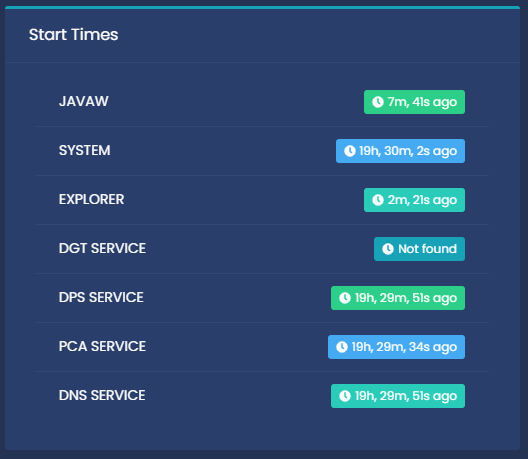
- On the right you will see the start times of different processes, if the Explorer Pcaclient is suspiciously empty, and the "explorer" process was started recently, it may have been cleared to bypass a screenshare
Indications of a possible hacker:
- Traces: If echo says "Detected", they are most likely hacking, and you can see what exactly they were detected for at the top of the list (by the pie chart)
- X Ray packs: If echo finds someone using an xray pack, it will say it in 2 places:


If you click the dropdown menu at the "Resource Packs" section, you can see the packs they have on their PC.
- Veracrypt: Veracrypt is a method that cheaters use to hide a client, to simplify, it is when a cheater makes 2 drives of the same letter (For example, 2 drives with D:\). They puts a renamed hacked client (Anydesk.exe for instance) onto 1 on the drives and uses it, then when they get frozen, They switch out the drive with the other drive which has a legitimate exe of the same name (So a real Anydesk.exe) in order to bypass a screenshare.
Echo does have the ability to detect someone using veracrypt, you should see a notification that looks like this:

And you will probably see file logs like this:
Executed: F:/AnyDesk.exe 24 Jan 2021 08:29:26
Executed: F:/Yori-1.exe 24 Jan 2021 08:22:52
If you get this warning as well as a cheat detection, it probably heams the user is cheating, I recommend you look for other indications (such as a file being executed and deleted).